


The developer of RegCleaner, jv16 PowerTools, Uninstalr, WinFindr, Startup Timer, ScreenshotX, System Examiner and Windows Update Fixer.
Uninstalr includes an optional minimal user interface designed specifically for screen reader use. This mode streamlines Uninstalr’s layout to work smoothly with assistive technologies, making it easier for users who rely on screen readers to navigate the app and manage their software installations.
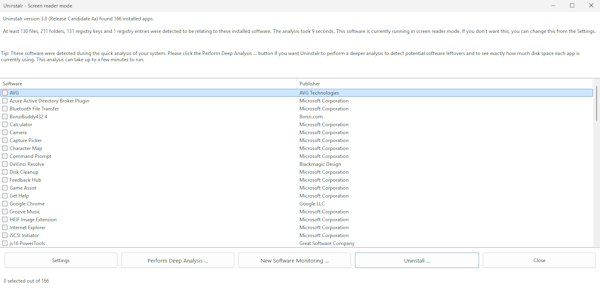
Activate The Screen Reader Mode
You can access the screen reader mode using the following steps:
- Open Settings by right-clicking on the app and then selecting “Settings”.
- Scroll down until you find the “General user interface settings” menu, then tick the “Use screen reader compatible user interface” option.
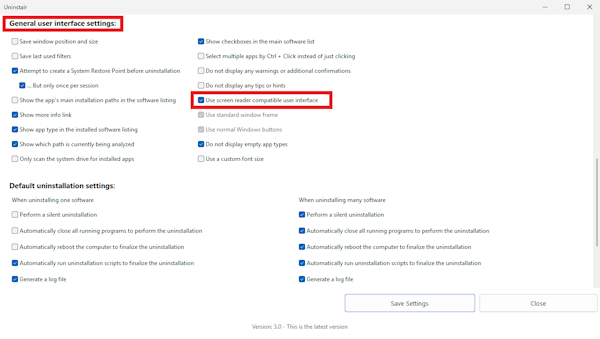
- Click the “Save Settings” button.
- Restart the app.